
How to choose LCD TVs - recommendations
You should choose TVs with your ears and eyes!
Indeed, when watching any movies, videos, and other content, screen brightness, clarity, and good sound are essential.
Therefore, in the store, you should carefully check not only the design of the TV , but also the image and sound. When buying, you will learn how to check a new TV and what you should pay attention to in our blog.
Checking the TV immediately after purchase:
Regardless of where the TV is sold - online or in person at a retail store - you should still inspect the device thoroughly.

Start by inspecting the box. Look for any significant damage to the box. Dents and other minor damage may indicate careless transportation.
TV box:
The packaging should contain information about the TV: manufacturer, model, series, dimensions, and other markings. Make sure you receive the exact version you ordered.
The new TV body and stand should be protected with special thin cellophane. During visual inspection, the unit should not show any signs of use or defects:
Scratches: Carefully inspect polished metal panels, as well as chrome elements, as any damage is clearly visible on shiny surfaces;
dents or bent (bent) body parts that should not be present in the factory version;
Damaged screws on the back panel: The TV may have been disassembled or reassembled. In such cases, please note that warranty service will not work.

Checking the completeness:
The number and names of accessories vary depending on the model purchased, but the following accessories are common to all TVs:
- Remote control;
- Stand;
- Connecting cables;
- Documentation - instructions and warranty card.
Sound check:
To improve the sound and settings, manufacturers use 20-watt audio systems, as well as various technologies such as Ultra Surround. When it comes to sound quality, it's better to make sure in person and test it on site than just read about it in the technical specifications.
To do this, simply turn on any song on the TV and gradually increase the volume from minimum to maximum. Make sure there is no excessive noise or disturbing sounds.
Checking connectors and interfaces :
On the back of the TV panel, there is a set of necessary ports that you may need to synchronize with other gadgets. If any of them are not functioning properly, then immediately have the TV checked by a competent person.

Therefore, check the following when buying:
USB - a regular memory card (flash drive) will help you;
HDMI, LAN, RF, VGA, audio and other cables that should be included with the TV;
Wireless interfaces such as Wi-Fi and Bluetooth should also not be ignored. Try connecting to the TV without wires using a smartphone or tablet, displaying a picture or video on the TV screen.
Screen check:
You will need a memory card with color images stored on it. After that, you select images in a format supported by the TV (Full HD, Ultra HD 4K, etc.) and start viewing the images in test mode.
How to check for bad pixels on the screen?
Low pixels appear on the screen as black or white dots;
In a bright image, such a pixel may appear in a different color. For example, red on a green background.
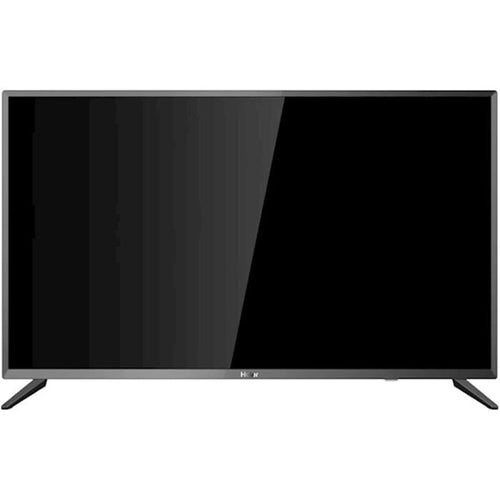
Popular models


 კომერციული გარანტია 2 წელი




შესაძლოა დაგაინტერესოთ
-
How to choose a fan?
As soon as summer arrives, the first thing that comes to mind is a fan . Fresh air circulation in the heat, rapid coo...
-
How to choose power tools in 2025?
Modern construction and repair work is unthinkable without quality power tools. Choosing the right tool is essential ...
-
How to choose a robot vacuum cleaner?
The question of how to choose a robot vacuum cleaner has been relevant since the appearance of these smart devices on...
-
How to set the refrigerator temperature?
Setting the refrigerator temperature correctly is essential to ensure that products retain their nutritional value fo...
-
Air conditioner for 40 square meters - everything you need to know before buying
There are several important factors to consider when selecting the right air conditioner for a 40 m² room in 2025, en...
-
Intex or Bestway - which pool to choose?
When shopping for an outdoor framed pool, you've probably come across Bestway and Intex pools. Both brands offer a wi...
-
Overview of air conditioner features - what each one means
A modern air conditioner has many features, some of which are easy to guess by their names, but in advertising campai...
-
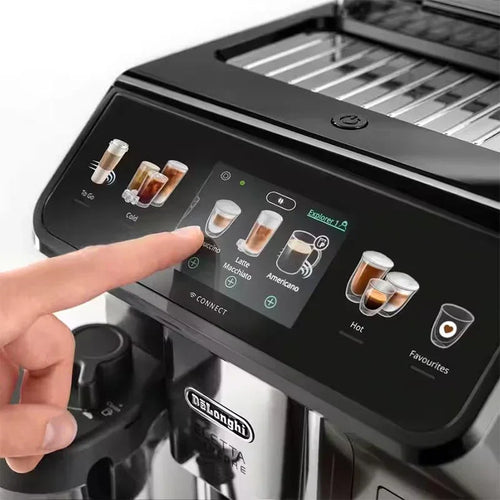
The most comprehensive review of DELONGHI coffee machines
DeLonghi is an Italian premium brand known for its high-quality home appliances, especially coffee machines . The com...
